Interface Overview

SEEV's interface is built for a local-first workflow, with project organization, flexible local models, and privacy-focused controls that match the current app.
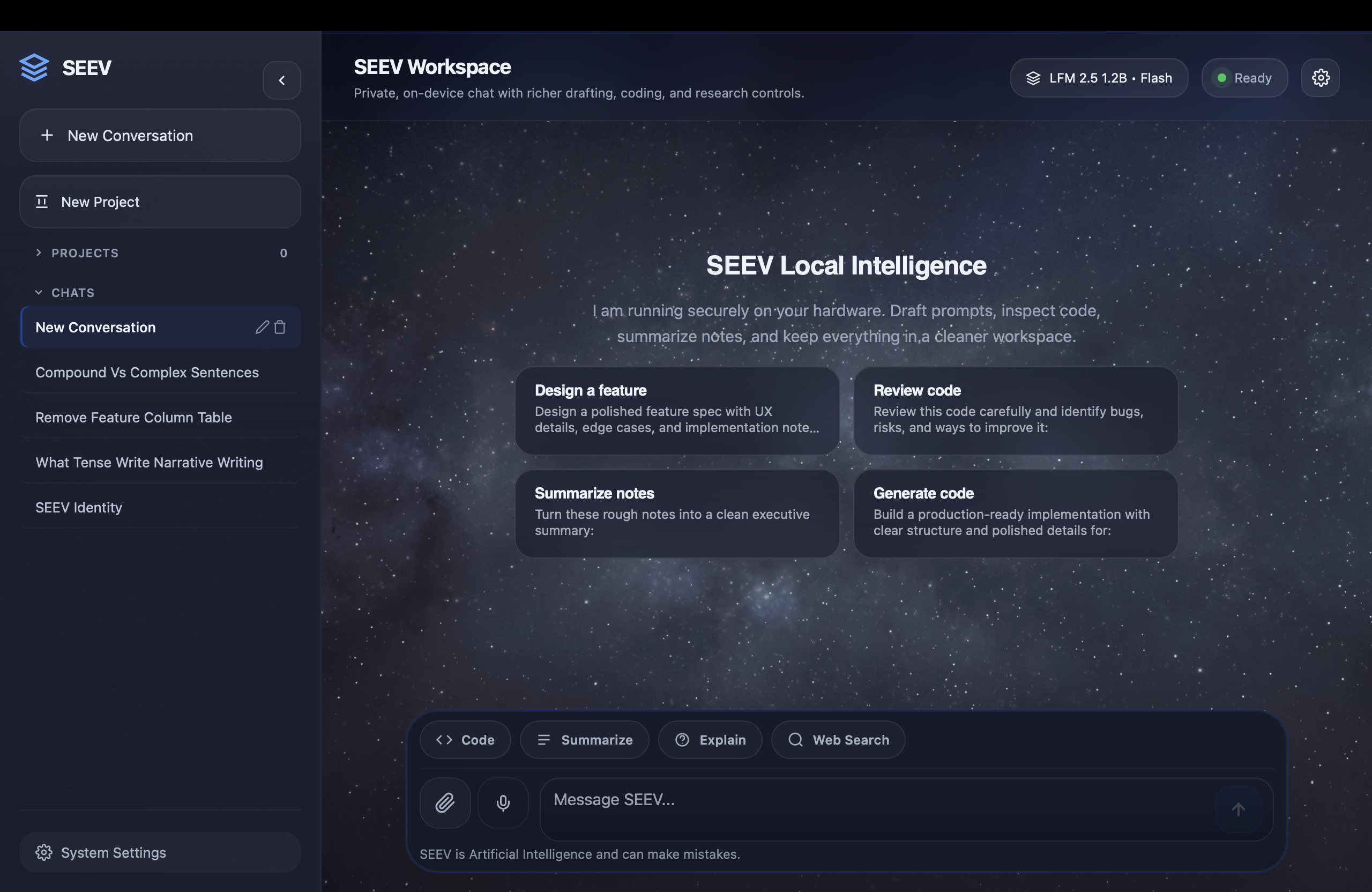
SEEV full workspace
Complete workspace — sidebar, header, conversation view, and composer

Sidebar

Collapsible sidebar with projects, conversation history, drag-and-drop organization, and quick actions for efficient navigation.

Header Bar

Displays the current model, status indicators, local context controls, and settings access without leaving the conversation.

Conversation View

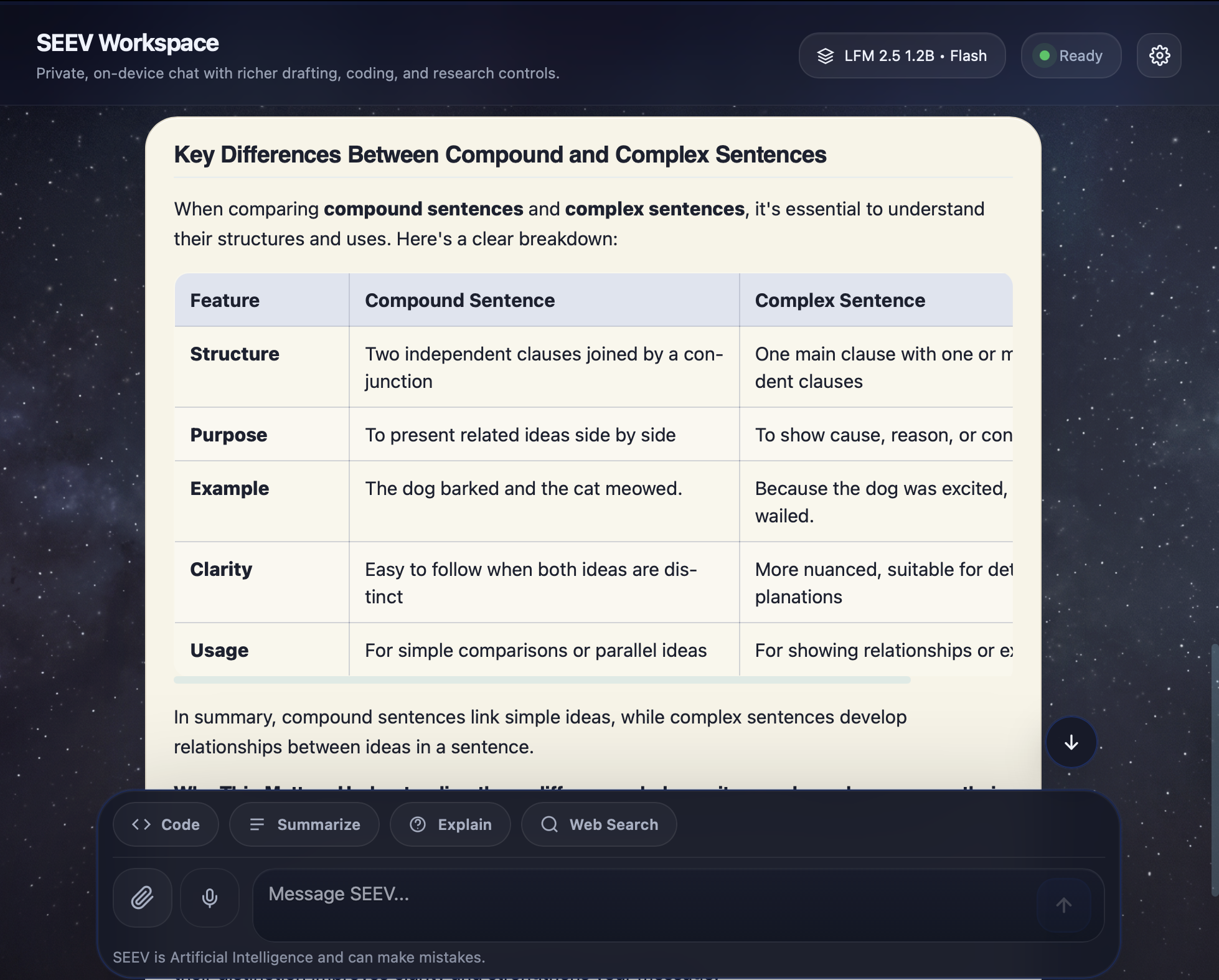
Clean message layout with full markdown rendering, syntax highlighting, structured tables, and per-message action buttons.

Composer

Multi-mode input area with Code, Summarize, Explain, and Web Search modes, file attachments, and voice input integration.

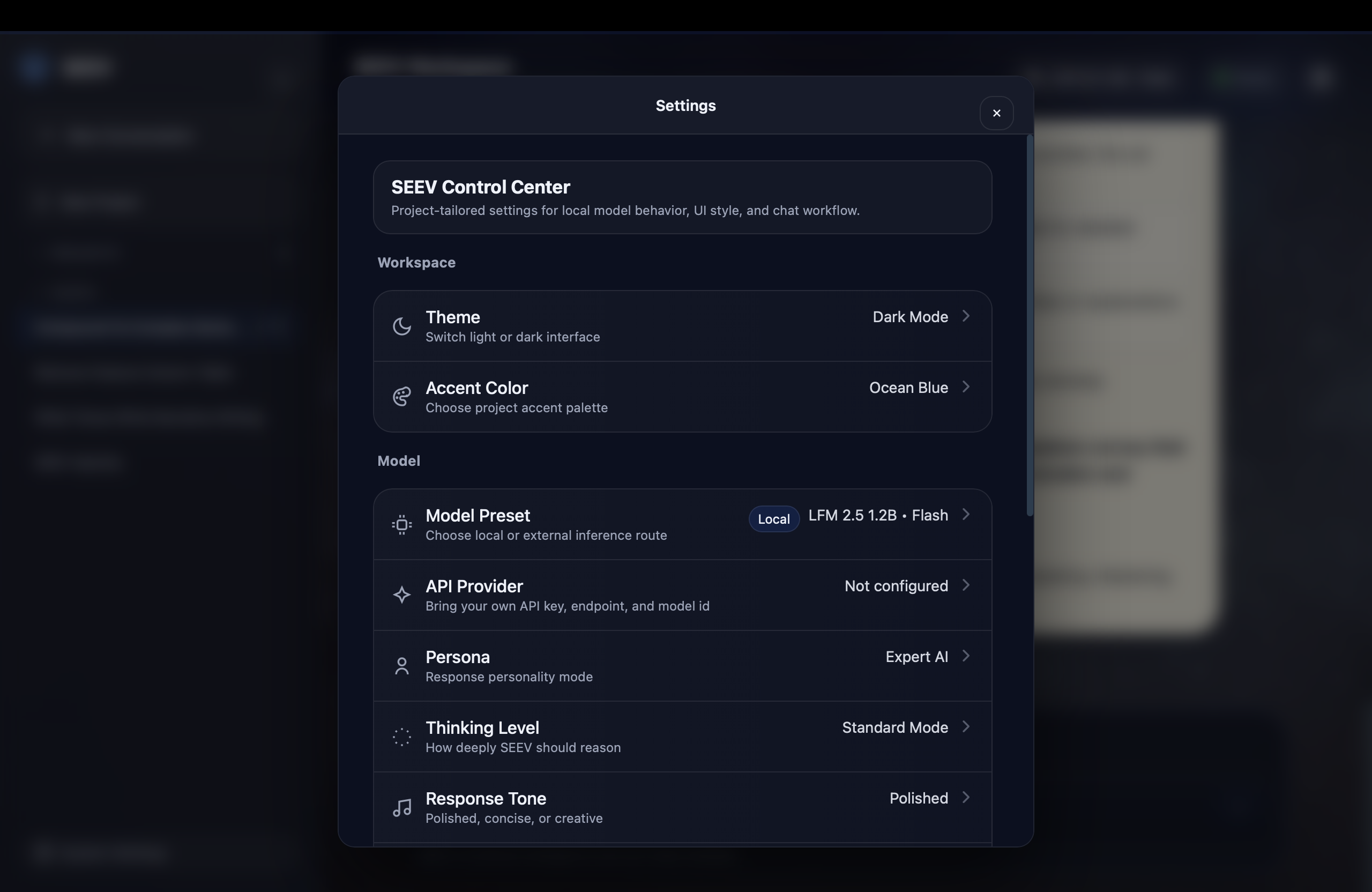
Control Center

Comprehensive settings panel: dark theme, accent color, model presets, reasoning depth, response tone, creativity, strictness, and data management.

Voice Module

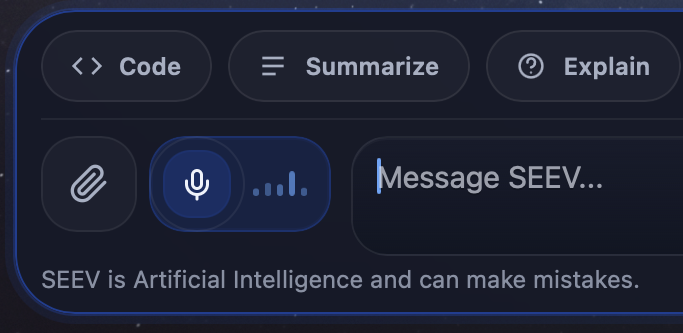
Inline voice input with live waveform visualization. One-tap activation with automatic local transcription via WhisperKit.

Memory and Documents

Personal memory, project memory, and uploaded document text stay editable and local inside SEEV's built-in memory and vault tools.

Optional 3B Reasoning

The bundled 1.2B model is ready on first launch, and SEEV can prompt you to install the 3B reasoning model locally when a question or attachment would benefit from it.
Application Gallery

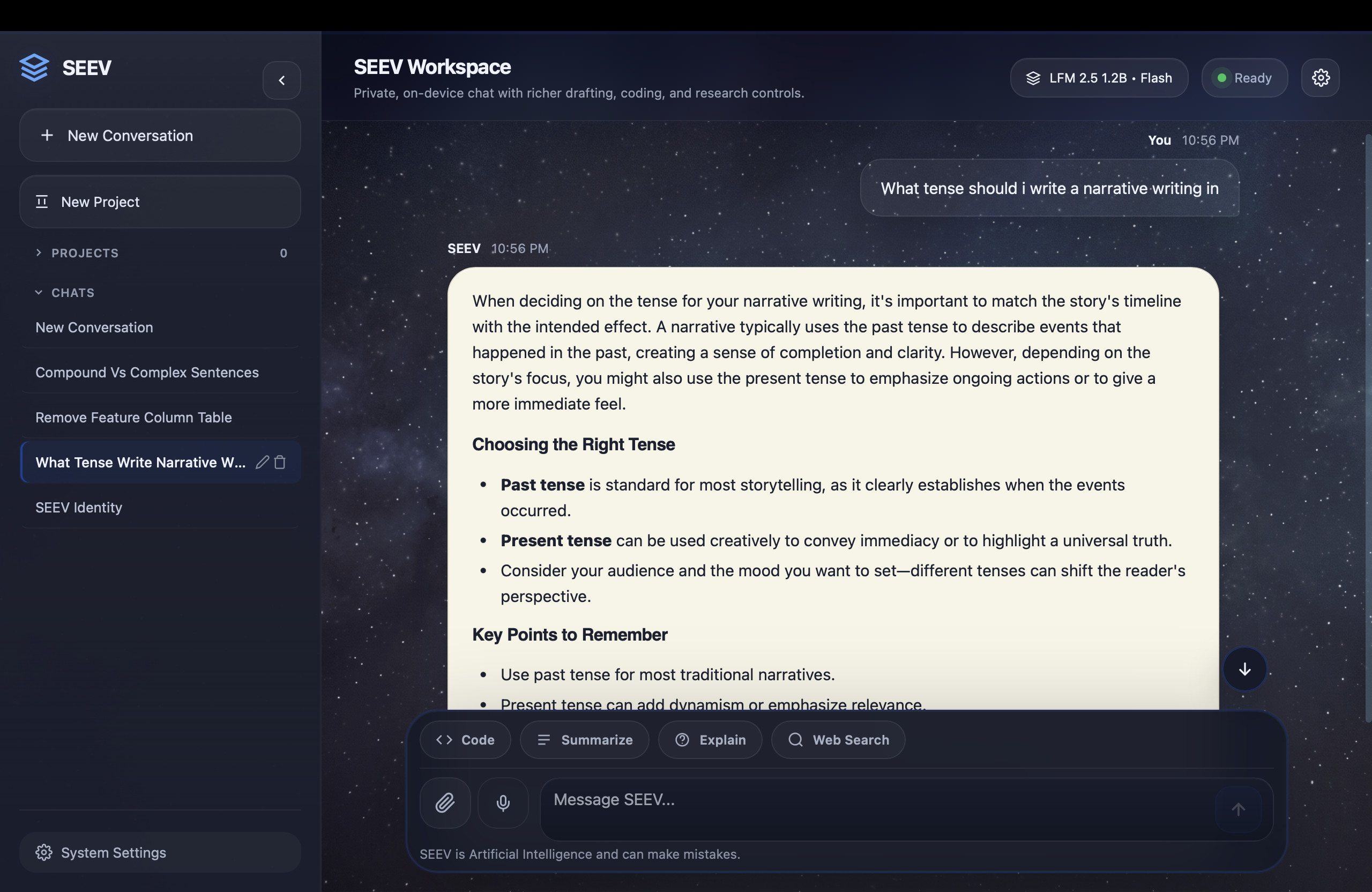
Screenshots from the SEEV application demonstrating its interface across different states and configurations.

Full workspace view
Full workspace with sidebar, conversation, and composer
Rich response rendering
Rich response with markdown headings, lists, and formatting
Control Center
Control Center — model presets, routing, and workspace configuration
Table rendering
Structured table output with consistent styling
Composer modes
Composer with Code, Summarize, Explain, and Search modes
Voice input
Voice input with real-time waveform visualization

Adaptive Dark Theme

The website uses a dark-only presentation with accent-driven color styling.

Dark Mode

Deep backgrounds, glassy surfaces, and muted contrast tuned for long reading sessions and focused browsing.

Accent Colors

Website accents can still shift between blue, purple, and orange while keeping the same dark visual system.

Keyboard Shortcuts

Navigate SEEV efficiently with keyboard-driven shortcuts.

Send message Return
New line Shift + Return
New conversation Cmd + N
Slash commands /
Open settings Cmd + ,
Toggle sidebar Cmd + B
Stop generation Escape
Voice input Cmd + V

Experience the Workspace
Yourself

Download SEEV and set up your private AI workspace in under a minute. No account required.

Download SEEV
Installation Instructions: After downloading the DMG, before opening the app, you must open Terminal and run sudo xattr -cr /Applications/SEEV.app. Enter your password when prompted to complete the authorization process and launch the application.